

AI Video Enhancer: Your Videos Don’t Look Professional? Here’s the Fastest Fix
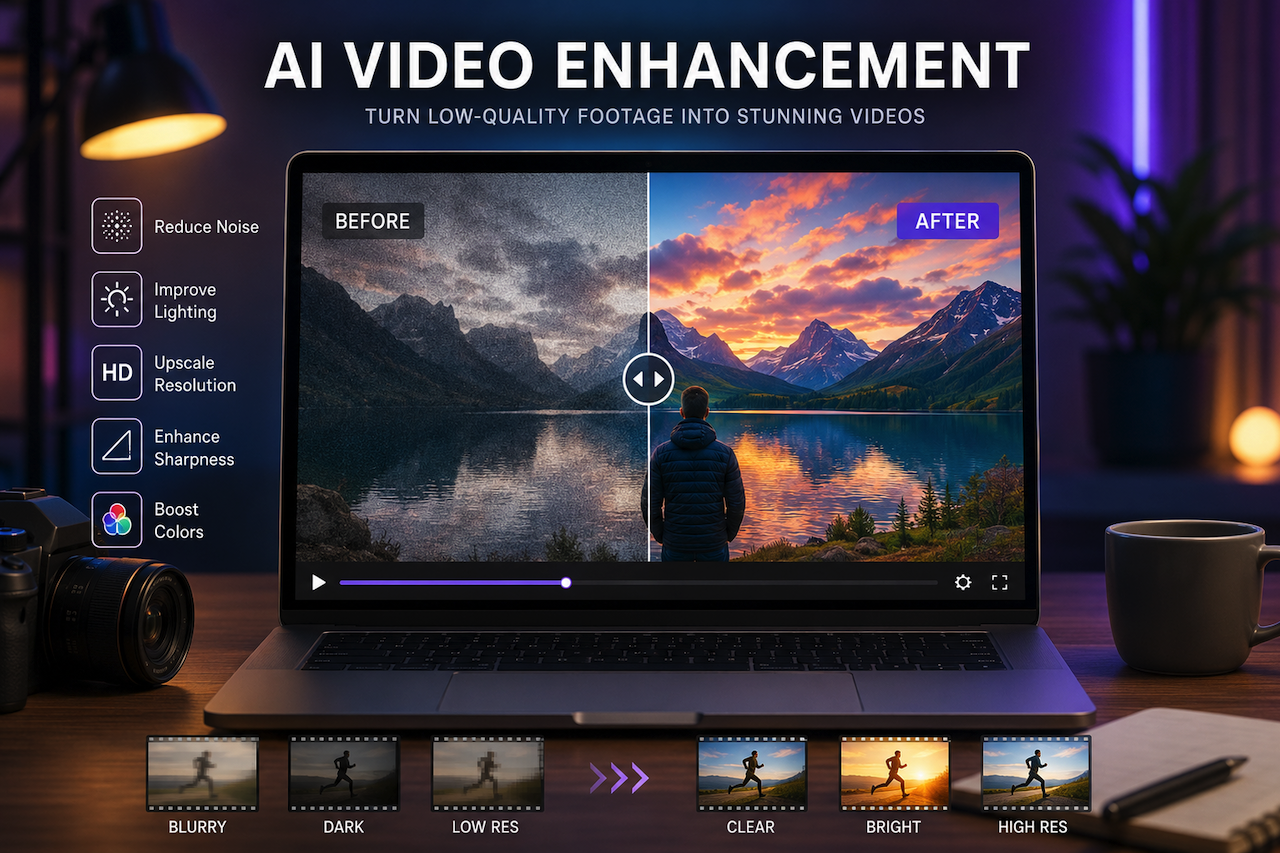
Ever invest hours into making a video only to upload and find it looks blurry, dull, or just… not professional?
Many creators struggle with poor lighting, grainy footage, low resolution, and flat colors, especially when shooting on older cameras or smartphones. And the worst part? Video quality matters. Even great content can get ignored if it doesn’t look polished.
The good news? You don't have to be a master of it since AI-powered tools have changed the entire game.
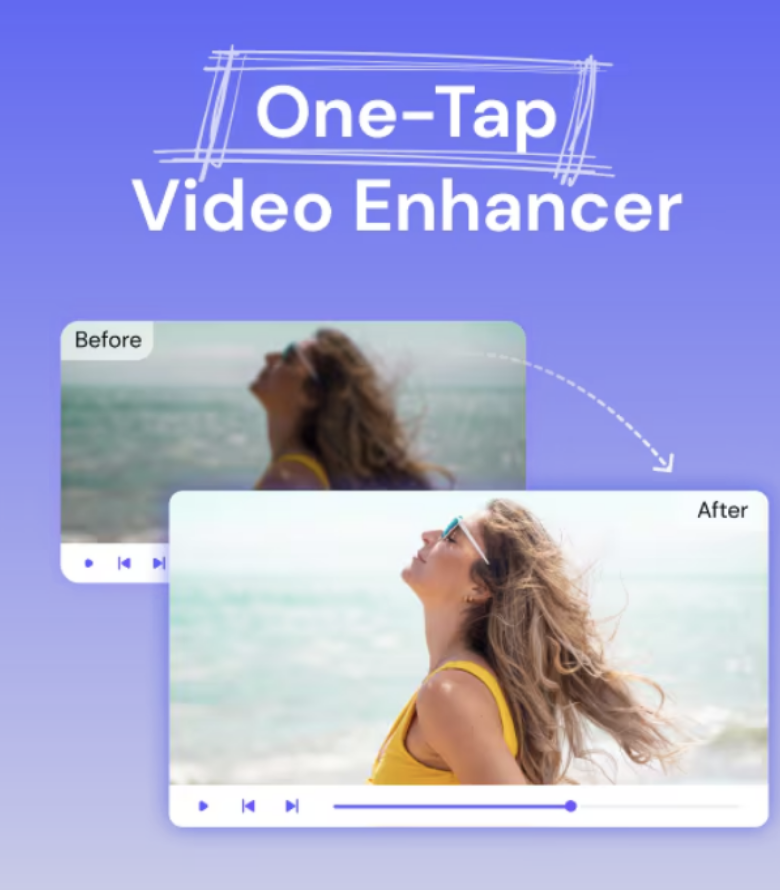
Tools like Media.io video enhancer now make it easier for beginners and creators to improve video quality online. With just a few clicks, you can automatically enhance videos, remove noise, fix lighting issues, and even upscale low-resolution footage.
So, are you ready to give your videos a professional look without spending hours editing?
Why Your Videos Don’t Look Professional

Before fixing the issue, it is vital to understand what makes videos look unprofessional in the first place.
Bad Lighting = Flat Videos
Lighting is one of the top reasons for poor-quality videos. If your video footage is too dark, you lose important detail. Low-light recording also contributes to grain and noise, resulting in unpolished, messy videos. Even the best camera can have problems in low light.
This issue is especially common for indoor creators who rely on natural room light or smartphone cameras.
Low Resolution and Compression Reduce Quality
Have you ever recorded a video that looked great on your phone, but turned blurry after uploading it online?
That usually happens because of video compression. Platforms like YouTube, TikTok, and Instagram compress uploaded videos to save bandwidth and storage space. If the original file already has low resolution, compression can make the quality look even worse.
That’s where a good AI video quality enhancer can help by improving clarity, sharpness, and overall video quality before uploading.
Camera Noise and Blur Distract Viewers
Shaky hands, camera movement, or low-quality cameras often cause blurry videos. This is especially common in mobile recordings. When viewers notice blurry or grainy footage, it instantly reduces the professional feel of your content.
Weak Color and Sharpness hurt Visual Appeal
Videos that are dull and feature smooth graphics appear lifeless. Low contrast, detail, or sharpness makes it more difficult to grab viewers’ attention with your footage. This is one of the reasons why filmmakers work so hard on color grading and enhancing the footage.
Overediting can make videos look worse. Many creators use heavy filters and aggressive sharpening to correct poor videography. However, it is not always easy to achieve natural-looking skin tones, sharp edges, and uniformity when over-editing. The video looks more artificial than professional-looking.
The Fix for Low-Quality Videos
That's where AI tools come in handy. It automatically enhances footage without hours spent manually adjusting settings in complicated video editing software.
Key Benefits of AI Video Enhancement Tools
- Improves Blurry Video Footage: AI-powered video enhancement tools can restore detail and improve sharpness in soft or blurry footage, helping videos appear clearer and more polished.
- Enhances Low-Light Recordings: Many AI systems can reduce grain and noise while improving brightness and visibility, making dark videos easier to watch and understand.
- Upscales Low-Resolution Videos: AI upscaling technology can increase video resolution to HD or 4K quality, helping older or lower-resolution footage appear sharper on modern displays.
- Reduces the Need for Manual Editing: Automated enhancement features can simplify tasks such as noise reduction, sharpening, and color correction, making video improvement more accessible to beginners.
- Supports Social Media Content Creation: Video enhancement tools can help optimize footage for mobile-first platforms and short-form video formats, improving visual quality across a variety of devices and screen sizes.
How to Enhance Video Quality Online Using AI Tools
Most AI-powered video enhancement tools follow a similar workflow, making it possible to improve video quality without advanced editing experience.
Step 1: Upload Your Video

Begin by uploading your video file to the video enhancement platform. Many tools offer a drag-and-drop interface to simplify the process.
Step 2: Select Enhancement Options
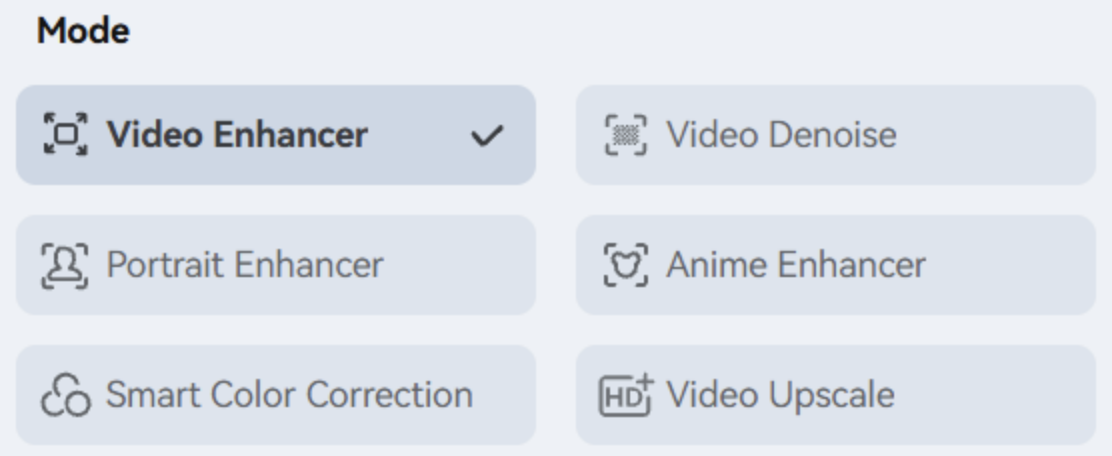
Choose the enhancement features that best match your needs. Depending on the platform, options may include noise reduction, sharpening, brightness correction, color enhancement, or video upscaling.
Step 3: Review the Results
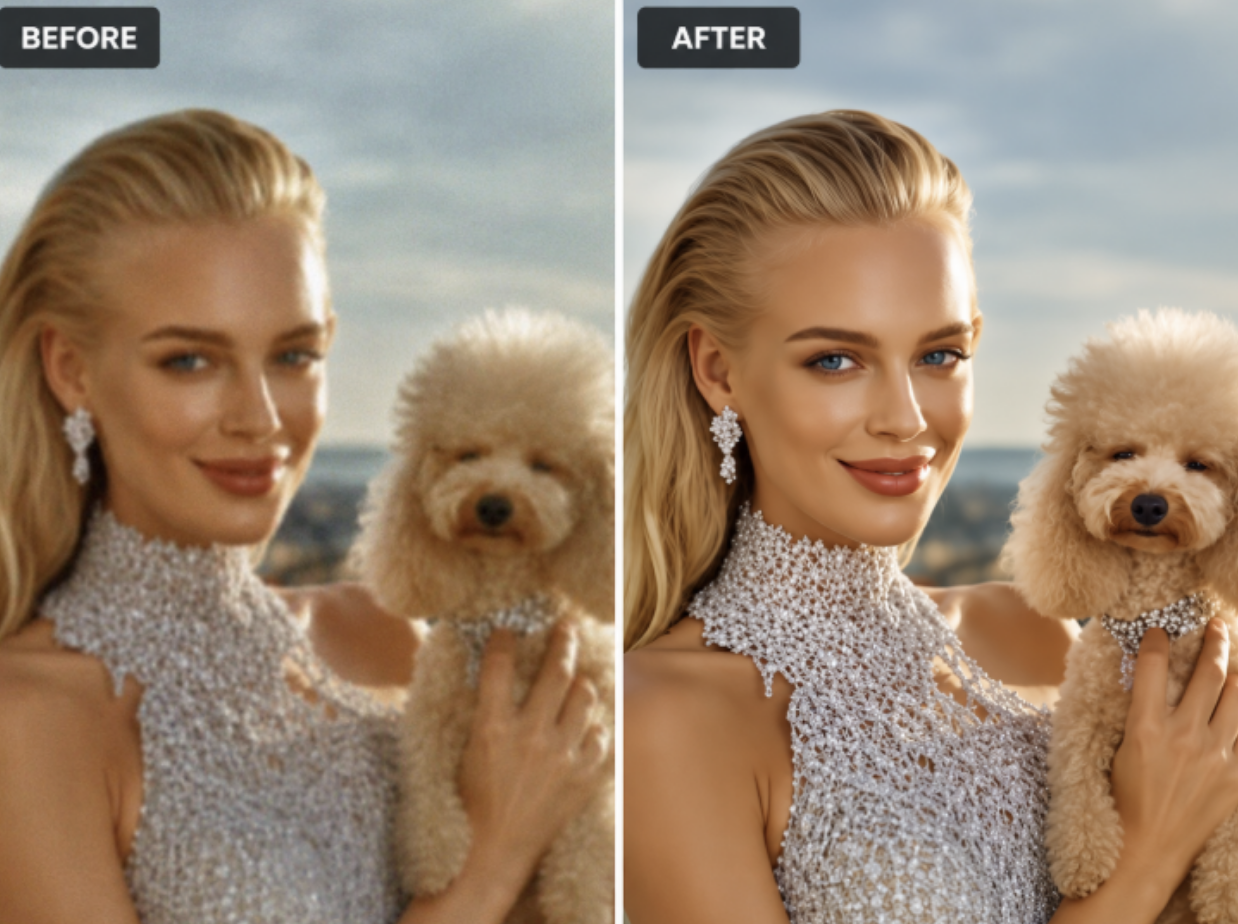
Many AI video enhancement tools provide a preview that allows users to compare the original and enhanced versions side by side. This helps evaluate improvements in sharpness, lighting, detail, and overall visual quality.
If the results are not satisfactory, users can often adjust settings and reprocess the video.
Step 4: Export the Enhanced Video
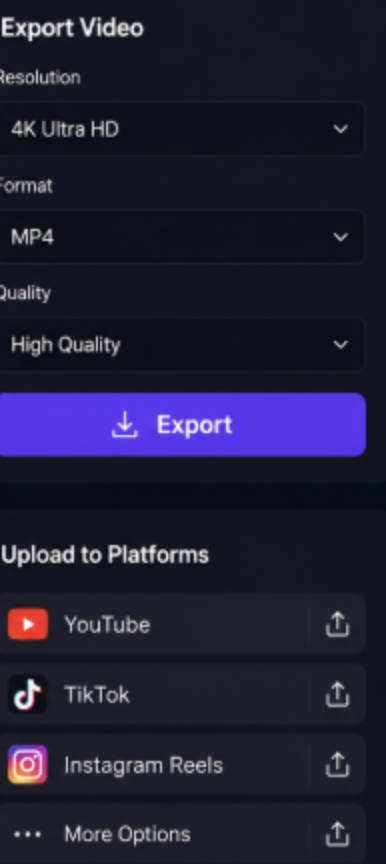
Once satisfied with the results, export the enhanced video in the desired format and resolution. The finished file can then be uploaded to video-sharing platforms, social media channels, websites, or other digital distribution channels.
Common Mistakes That Make Videos Look Amateur
Even good content may fail to look good if creators make these common mistakes:
- Poor light conditions for recording
- Repeatedly uploading compressed files
- Excessive use of filters
- Capturing your videos at low resolutions
- Shaky footage
- Poor framing
- Ignoring audio quality
Having a few of these problems can make a big difference in making the videos look professional.
Why More Creators Are Using AI Video Enhancers
AI-powered editing tools are becoming popular for a reason. They help creators:
- Save editing time
- Keep a uniform visual quality
- Produce content faster
- Simplify editing workflows
- Enhance social media interaction
When you're creating frequently, speed is important. With AI tools, you can concentrate more on content production, rather than spending hours manually editing footage.
Conclusion
Professional-looking videos do not always require expensive cameras, studio lighting, or advanced editing skills. Modern AI-powered video enhancement tools can help improve clarity, reduce noise, upscale resolution, and enhance overall visual quality with minimal manual effort.
Whether you are a content creator, marketer, educator, or casual video editor, AI-assisted enhancement technologies can simplify the editing process and help improve video quality without requiring extensive technical expertise. Tools such as Media.io video enhancer are examples of how AI can automate tasks that traditionally required significant manual editing.
As AI video processing continues to evolve, these tools are becoming increasingly accessible, making it easier for individuals and organizations to produce clearer and more polished video content.
 FAQs
FAQs
Improving lighting, recording at higher resolutions, using stable camera positioning, and applying AI-powered enhancement tools can help improve overall video quality and visual appeal.
Many AI video enhancement tools can automatically reduce noise, sharpen details, improve brightness, upscale resolution, and enhance overall clarity with minimal manual adjustments.
AI-powered video enhancement platforms can quickly analyze and improve footage using automated processing, helping users enhance video quality without extensive editing experience.
Featured Image generated by ChatGPT.
Related Articles
April 10, 2026
What Makes AI Writing Sound Robotic and How to Fix It
AI writing has reached a point where speed and correctness are no longer the challenge. The real challenge is something far less technical and far more noticeable: how the writing...
Read More
January 15, 2026
How Story-Based AI Video Creation Works with Modern Text-to-Video Tools
Video creation is no longer limited to cameras, studios, or complex editing software. In 2026, more creators, educators, and marketers are producing narrative-driven videos directl...
Read More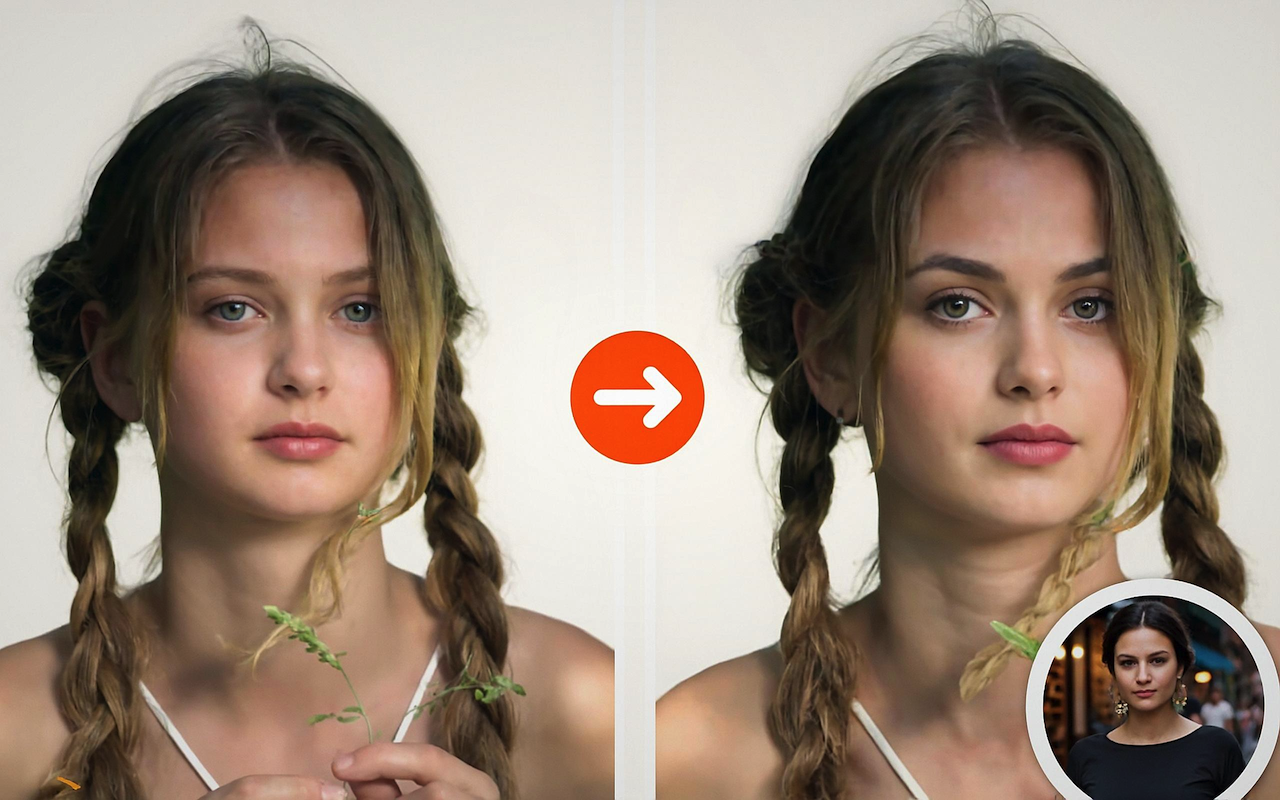
September 25, 2025
Transform Your Videos with AI-Powered Face Swap and Head Swap
The explosion of short-form video content on platforms like TikTok, YouTube Shorts, and Instagram Reels has changed the way people create and consume media. In this fast-moving wor...
Read More
Comments
Comments are moderated to keep the discussion useful and respectful. Spam, automated submissions, and low-value promotional comments are removed. Comments with outbound links may be approved when the link is relevant to the article and genuinely helpful to readers.
No comments have been published yet.