

Ecommerce, Artificial Intelligence, Technology
How Image-to-Video AI Actually Works — and Why It Beats Text Prompts for Product Content
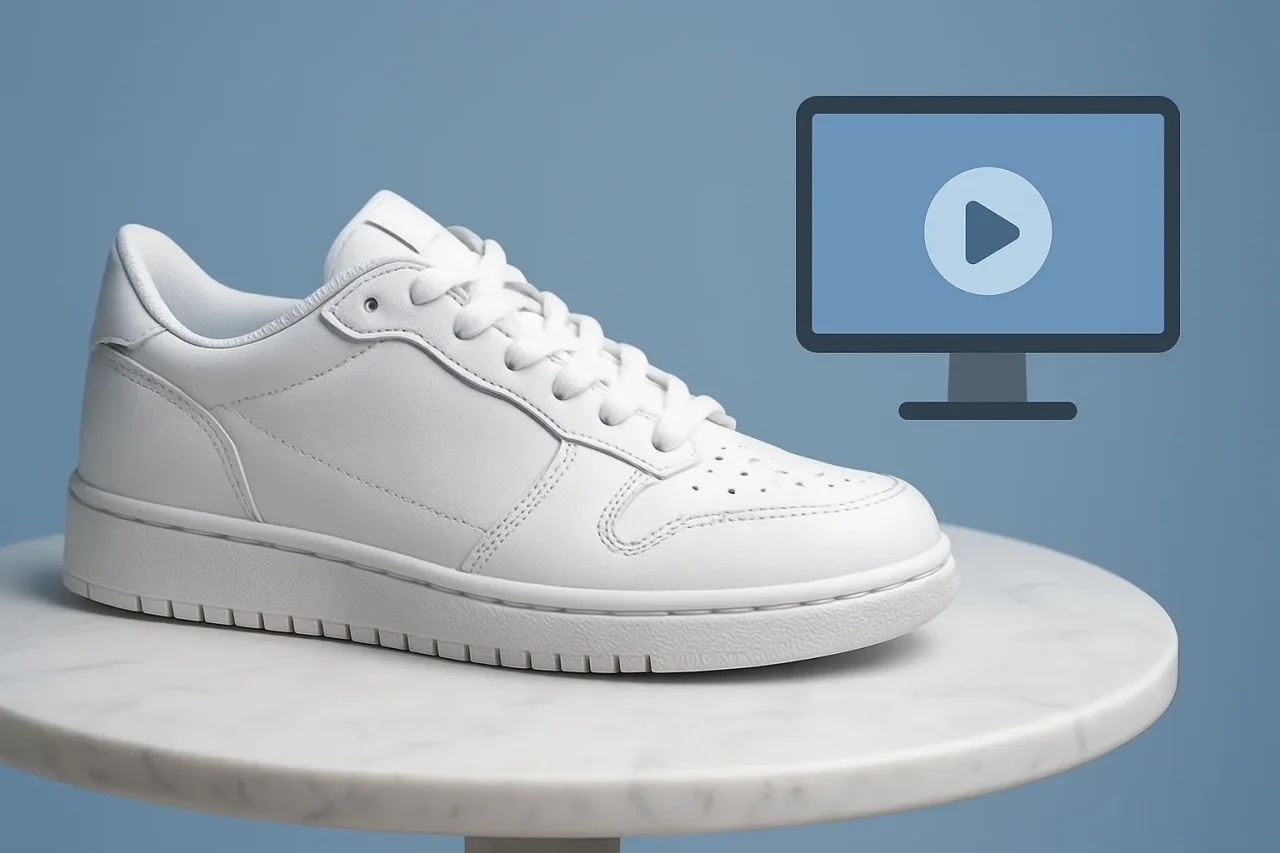
Text-to-video gets the headlines, but image-to-video is what businesses actually use. Here is what happens under the hood, and why starting from a photo changes everything.
Ask an AI video tool to generate "a white sneaker rotating on a marble table" and you will get a white sneaker. It just will not be your white sneaker. The stitching pattern, the sole shape, the exact shade — the model invents all of it, because a text prompt describes a category of object, never a specific one. For a filmmaker sketching a mood, that gap barely matters. For a business trying to show a product a customer might buy, it is the entire problem.
Image-to-video generation solves this in a way that sounds obvious and turns out to be technically deep: instead of describing what you want, you show it. Understanding how that works, even at a non-specialist level, explains why the technique has quietly become the default for product content, and where its remaining weaknesses come from.
How Text-to-Video Generates a Clip
Modern AI video generators are built on diffusion models. During training, the system watches enormous numbers of video clips being progressively corrupted with visual noise and learns to reverse the process—to recover a coherent clip from randomness, step by step. Generation runs that reversal from scratch: the model starts with pure noise and gradually "denoises" it into frames, using your text prompt as a guide for what the emerging video should contain.
The text prompt influences generation through a learned mapping between language and visual concepts. The word "sneaker" activates the model's general notion of sneakers, assembled from every sneaker it saw in training. That is the root of the specificity problem. The model is not retrieving your product; it is sampling one plausible member of a category. Run the same prompt twice, and you get two different sneakers. Add more descriptive words, and you narrow the category, but you never pin it to one real object — language is simply too coarse an instrument for that.
Text-to-video also has to invent everything else: lighting, camera behavior, background, physics. It does all of this at once, which is why outputs feel impressive and unpredictable in equal measure.
What Changes With Image-to-Video
Image-to-video keeps the same diffusion machinery but adds a decisive constraint: your photograph is injected into the generation process as a conditioning signal, alongside or instead of text. In most architectures, the source image is encoded and fed to the model so that every denoising step is pulled toward frames consistent with that exact image. Some systems use the image as the literal first frame and generate forward in time; others use it as a persistent reference that every frame must respect.
The research behind this approach, including work like Stable Video Diffusion, provides a useful example of how image-conditioned generation can improve subject fidelity. By anchoring generation to an existing image, the model works from a defined visual reference rather than creating the subject from scratch. The task becomes narrower: determining how that specific image should move.
That narrowing has three practical consequences.
- Identity survives: Because every frame is conditioned on your photograph, the product's shape, color, and label stay anchored to reality. The model animates around the object rather than hallucinating a new one. This is the difference customers notice without being able to name it — the product in the video is the product in the listing.
- The prompt gets easier: With the subject fixed, your text only has to describe motion and atmosphere: "slow camera orbit, soft daylight." Short prompts work because they carry less of the load. Most failed text-to-video attempts fail on subject accuracy; image-to-video removes that failure mode almost entirely.
- Revision economics improve: When a text-to-video output is wrong, you often reroll everything, and the next attempt is wrong differently. When an image-conditioned output is wrong, the subject is still right — you are only iterating on motion. Teams report needing a handful of attempts per usable clip instead of dozens, which changes video generation from a lottery into a budgetable process.
The source photo, notably, has become more valuable rather than less. Image-to-video output quality tracks input quality closely: clean lighting and an uncluttered background give the model an unambiguous subject to preserve. The decade businesses spent learning product photography turns out to be a direct asset in the AI video era.
Why This Matters Most for Product Content
Different use cases tolerate different failures. Concept art tolerates almost anything. Product content tolerates almost nothing about the product itself: a bag with a warped clasp or a bottle with a melted label is not a lower-quality asset; it is a misrepresentation of the item being sold.
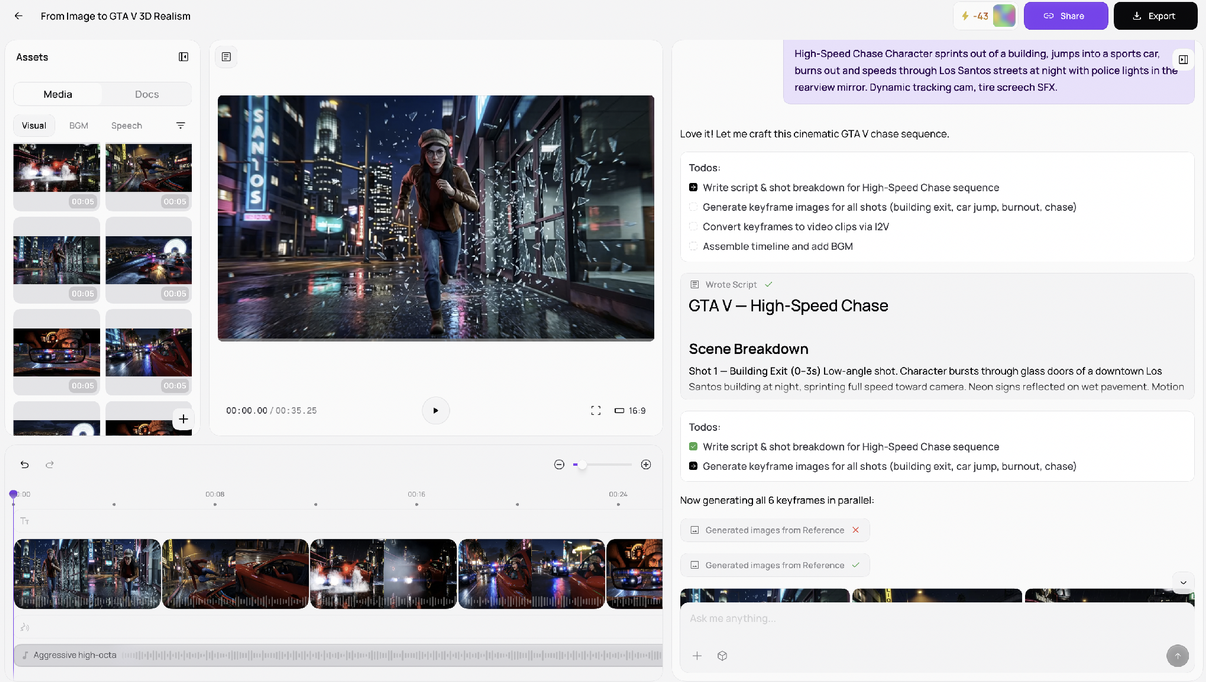
This is why different AI video workflows tend to suit different use cases. Creative and entertainment projects often use text-to-video when visual invention is the goal, while ecommerce sellers, app marketers, and brand teams may favor image-to-video when an existing product or visual needs to remain recognizable. A typical workflow starts with a product photo, adds a short motion brief, generates several variations, and compares the results with the source image. Some platforms bring these steps together in a single workspace; Medeo, for example, combines product images with scripting, generation, and editing tools. This is one example of how image-to-video workflows can reduce the need to move assets between separate tools.
The source photo, notably, has become more valuable rather than less. Image-to-video output quality tracks input quality closely: clean lighting and an uncluttered background give the model an unambiguous subject to preserve. The decade businesses spent learning product photography turns out to be a direct asset in the AI video era.
Where Image-to-Video Still Struggles
Anchoring the subject does not solve everything, and the failure modes are worth knowing before you rely on the technique.
Motion is still generated, so physics can still go wrong — liquids, fabric drape, and hands interacting with objects remain the hardest cases. Text inside the frame is still unreliable, because the model treats letters as visual texture rather than language; prices and product names should be added in an editor after generation. The technique also cannot show what the photo does not contain: the back of a product photographed from the front is an invention, and occasionally a bad one. And clips remain short, a few seconds of coherent motion, so longer content still means editing several generations together.
None of these limits undermines the core trade. Text-to-video asks the model to imagine your product and hopes it comes close. Image-to-video hands the model your product and asks only for motion. For anyone whose video must show a real thing accurately, which is to say, nearly everyone selling something, the second question is the one worth paying a model to answer.
Conclusion
Text-to-video and image-to-video serve different purposes. Text-to-video gives the model more freedom to invent, making it useful when creativity and exploration matter most. Image-to-video starts from an existing visual reference, making it better suited to situations where the subject needs to remain recognizable and consistent. For product content in particular, starting with a real image can reduce one of the biggest uncertainties in AI video generation: whether the object shown in the final clip actually resembles the one being presented.
Comments
Comments are moderated to keep the discussion useful and respectful. Spam, automated submissions, and low-value promotional comments are removed. Comments with outbound links may be approved when the link is relevant to the article and genuinely helpful to readers.
No comments have been published yet.