

Network, Privacy, Cloud Services
Where Does Your Audio Actually Go? The Network Journey Behind Browser-Based AI Tools
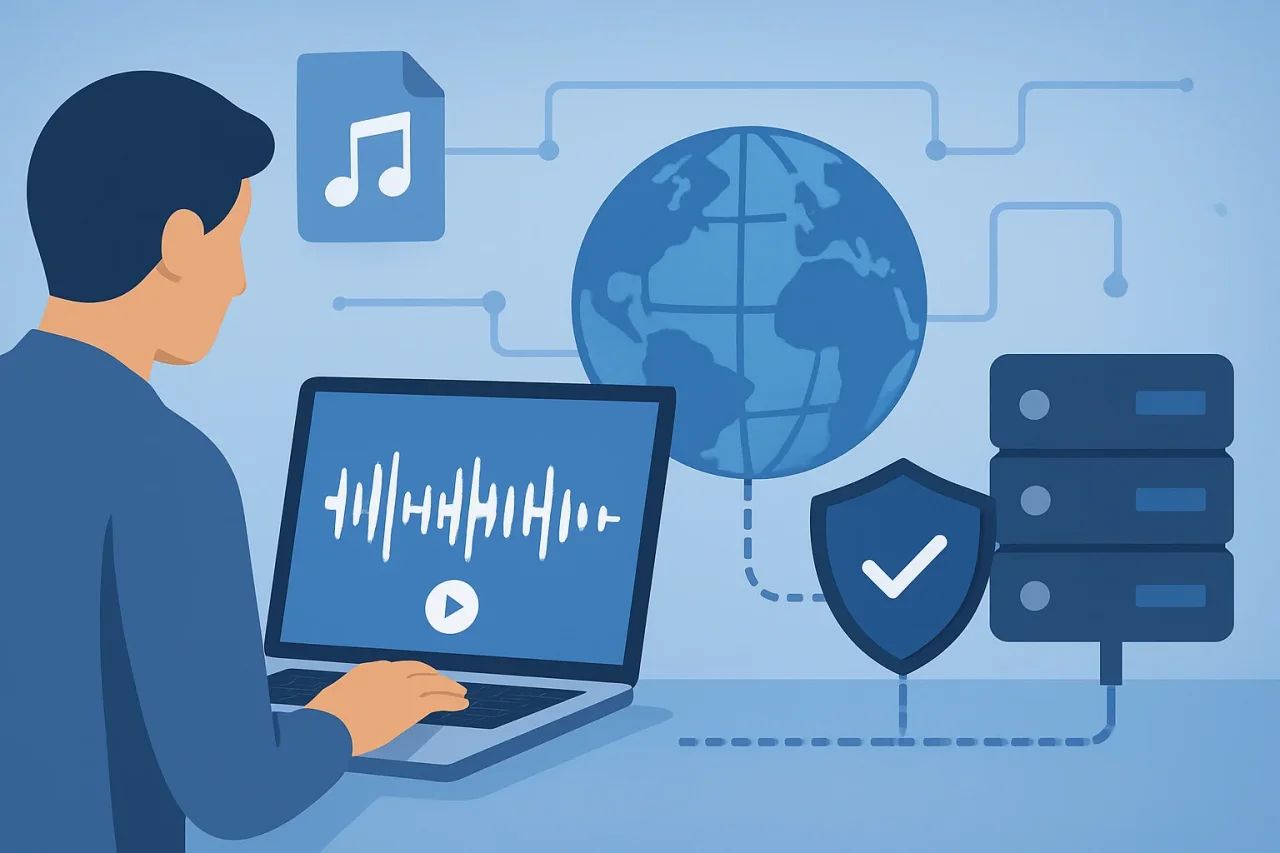
A growing category of web tools performs work that, until recently, required installed software and serious hardware: separating a song into vocals and instrumental, transcribing a meeting, upscaling an image. You open a tab, drop in a file, and get a result back in under a minute.
The interface lives in your browser. The work almost never does. Understanding where the computation actually happens and what your file passes through on the way is worth five minutes for anyone who uploads audio. It is the kind of detail that separates an informed user from a hopeful one.
The journey of one upload
Take a music file as an example. From the moment you hit upload, a typical browser-based audio tool moves your data through five distinct stages.
- The TLS handshake: Before any audio leaves your machine, the browser negotiates an encrypted session with the service's endpoint. This is table stakes, but it is still worth confirming: the upload URL should be HTTPS, and any service worth using will refuse plain HTTP entirely. Everything after this point travels inside that encrypted tunnel.
- The edge: Most consumer AI tools sit behind a CDN or reverse proxy, with Cloudflare and similar networks being common choices. Your file's first stop is therefore an edge server geographically near you, identified by the same IP routing logic this site's readers know well. The edge terminates your TLS session, applies bot filtering and rate limits, then forwards the request to the application's origin.
- The origin and the queue: The application server validates the file, including its format, size, and duration, then places the job in a processing queue. This is where guest limits and account tiers are enforced. On busy services, the queue is the variable that decides whether your thirty-second job takes thirty seconds or five minutes.
- GPU inference: The actual separation runs on server-side GPUs, usually a different machine from the one that accepted your upload. The neural networks that perform modern source separation are large, far too large to ship to a browser, and they need GPU memory measured in gigabytes. This is the step people mean when they say "AI", and it is also why the work cannot realistically happen client-side: the model weights alone would be a bigger download than most albums.
- Storage and return: The output, a vocal track and an instrumental, has to live somewhere while you preview and download it. Most services write results to object storage (S3-compatible buckets are typical), hand your browser a link, and expire the files on a schedule. That schedule is the single most important line in the privacy policy, and the one fewest people read.
The questions worth asking before you upload
Because the processing is server-side, uploading audio is an act of trust. A short checklist covers most of the risk:
- Retention: How long do uploads and results stay on the provider's storage? Hours, days, or "until we feel like deleting them"? A clear, short retention window is the strongest signal that a service takes data handling seriously.
- Scope of use: Does the policy state that uploads are processed only to deliver your result, or does it reserve the right to use audio for model training? For personal recordings, voice memos or unreleased demos, this distinction matters more than any feature.
- Account versus guest: Guest processing that requires no login means less identity attached to your files. When a service does require an account for downloads, check what is actually linked to it.
- Jurisdiction: Where do the servers sit? Object storage in one region and GPU workers in another is common and, for most users, irrelevant, but if the audio is sensitive, the answer should at least be discoverable.
- Deletion: Is there a way to remove a processed file on demand, rather than waiting out the retention window?
None of this requires a security background. All of it is visible from a service's privacy page and, occasionally, from its response headers.
A worked example
Vocal separation is a good lens for the whole category because the input is large, the computation is heavy, and the output is something people keep. A browser-based vocal remover follows the exact pipeline above: encrypted upload, edge filtering, queued GPU inference, and results delivered from object storage with preview before download, no local install, with the heavy lifting on the provider's hardware rather than yours.
Two practical observations from this category apply broadly.
First, your input file sets the ceiling. Upload bandwidth aside, a heavily compressed, low-bitrate file has already discarded the audio detail the model would need; no server-side hardware recovers information that was deleted during encoding. Feeding tools the cleanest source you have improves results more than any setting.
Second, the output is only as private as the storage behind it. A result link that works in an incognito window is a shareable URL, which is convenient and also worth knowing. If you care who can fetch a file, check whether result links are signed and expiring and if the workflow matters to you end to end, it helps to understand how an instrumental track gets made online from upload to final download, because each stage in that chain is a place where a copy briefly exists.
When local still wins
Server-side processing is the right default for occasional use: zero install, always-current models, and hardware you do not have to own. But the calculus flips in a few cases.
If the audio legally cannot leave your machine, such as client recordings under NDA or unreleased masters under contract, no retention policy substitutes for the file simply never crossing the network. Desktop tools running open-source separation models exist for exactly this case, although they require more setup time and typically run slower on consumer hardware. If you process hours of audio each week, a local GPU can eventually outperform uploading gigabytes through your ISP's upstream connection, which remains the slower direction of most residential internet connections.
The takeaway
"In your browser" almost always means "on someone else's server, reached through your browser." That is not a criticism; it is the only way tools this capable can be free and instant. But it puts the real questions on the network side: what travels, where it lands, how long it stays, and who can reach it while it does.
Those are questions this audience already knows how to ask about every other kind of traffic. Audio uploads deserve the same habit.
Disclaimer
This article is for informational purposes only. Any third-party websites or services referenced are provided solely as examples and for reader convenience. IPLocation.net does not endorse, guarantee, or assume responsibility for the content, availability, privacy practices, security, or performance of any third-party websites or services. Readers should review the applicable terms and privacy policies before using any external service.
Comments
Comments are moderated to keep the discussion useful and respectful. Spam, automated submissions, and low-value promotional comments are removed. Comments with outbound links may be approved when the link is relevant to the article and genuinely helpful to readers.
No comments have been published yet.